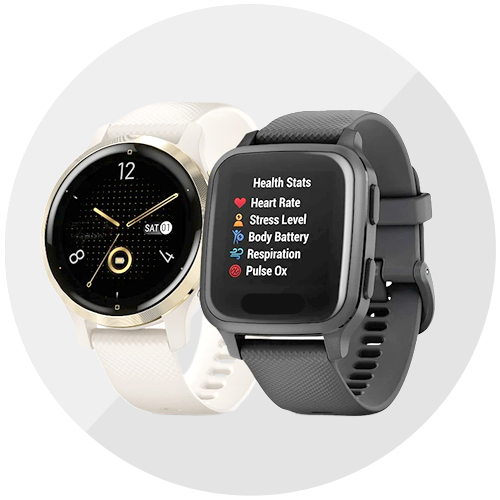


Thinking of getting a wearable to track your health and daily activities but not interested in other smart features? Fitness trackers are your best bet.
Compact, lightweight, and primarily focused on health and activity monitoring, fitness trackers are also generally more affordable than smartwatches.
These days, however, there are plenty that straddle both camps—offering looks, sophisticated health features, advanced smart features, and detailed sports tracking. One such wearable is the Samsung Galaxy Fit3.
The Galaxy Fit3 brings Samsung’s advanced health monitoring to a wider audience, thanks to its affordable P3,490 price tag. This wearable features an aluminum body and a wider display, allowing users to monitor their health data—including workouts and sleep—directly from their wrists.
Design and display

The Samsung Galaxy Fit3 comes in a compact white box showcasing the fitness bracelet and its main features. Inside, you’ll find the Galaxy Fit3 itself, a Type-C charging cable, and documentation.
The Samsung Galaxy Fit3 is small and light, making it ideal for all-day wear as it’s almost unnoticeable on your wrist. It features a thin, rectangular aluminum body with rounded corners. The aluminum frame adds durability and a premium feel, especially considering its affordability.

Speaking of durability, the Fit3 has an IP68 and 5ATM rating, making it dust-resistant and water-resistant up to 50 meters for 10 minutes.
The strap, crafted from soft silicone, can be easily swapped using the quick release button. However, the strap options on the Samsung online store are currently limited to orange and dark green.

Its 1.6-inch AMOLED display is bright, colorful, and easy to read even in direct sunlight. The touch screen is responsive and lag-free, with options for “raise wrist to wake” or “touch to wake,” as well as a button on the right side for waking the display.

The back of the Fit3 features a matte black plastic with an optical heart rate sensor, charging contacts, and the aforementioned quick release buttons.
Setting up your Fit3
Before setting up your Galaxy Fit3, install the Galaxy Wearable and Samsung Health apps on your phone and create/log in with your Samsung account. The Galaxy Wearable app manages the device’s look and smart features, while Samsung Health handles health and fitness tracking.
I used my personal Galaxy S22 Ultra and as expected, everything was seamless. The band was detected automatically, although it did involve several steps: connecting the tracker to the phone, downloading the software, agreeing to terms and conditions, and granting access to information like location and contacts.
Next, you have to choose which hand to wear it on and set the button position, then you’re ready to use it.

Configure the Galaxy Wearable app by setting up watch faces (there’s a lot to choose from), the app screen, quick panel, available tiles, and notifications.
We recommend adding your medical information and emergency contacts. That’s because if the Galaxy Fit3 detects a fall, it can alert your chosen contacts and send an emergency SOS message.
Health and fitness tracking + app
On the fitness tracking front, the Samsung Galaxy Fit3 offers a wide range of features. It can track over 100 workouts and includes sleep tracking and blood oxygen monitoring.
For fitness, it provides stats like steps, active hours, and calorie consumption. It also alerts you about high or low heart rates and monitors for irregular heartbeats.
We compared the band’s heart rate sensor with a pulse oximeter and a blood pressure monitor. We’re happy to note that there was just a minimal deviation of one to two beats. Likewise, the blood oxygen saturation was within +/-1 to 2 compared to a pulse oximeter.

The Fit3 also has stress monitoring and offers breathing exercises to help you relax. Its workout log supports various sports and lets you customize parameters.
Sleep tracking also works well, providing insights into my sleep quality, including factors affecting my sleep score and the percentage of time spent in various sleep stages like REM, awake time, light sleep, and deep sleep. Wearing the Fit3 has motivated me to prioritize going to bed earlier and enhancing my sleep score.


Unfortunately, I faced sync issues three times over the course of one month of using the Fit3. Steps synced, but from the phone to the watch instead of the other way around. Since I didn’t always have my phone while walking, the band synced with fewer steps than I actually took:

To fix it the first time, I reinstalled the Health app and restarted my Fit3. The second time, I just restarted the Fit3, which solved the problem. So the third time, I only needed to restart my device again.
I recommend checking for software updates for your Samsung Galaxy Fit3 because they greatly improve the user experience.
Battery life and connectivity
You can link the Fit3 to your smartphone using the Galaxy Wearable app to control music, check calls, reply to messages, and use it as a camera shutter button. It doesn’t have a microphone or speakers, so it can’t answer calls, which is understandable given its price.
As for sensors, the Fit3 is equipped with an accelerometer, barometer, gyroscope, optical heart rate sensor, and light sensor, which cover the basics needed for a modern fitness tracker. It has Bluetooth 5.3 for connecting to a smartphone, but doesn’t have its own GPS module, so it relies on the phone for location tracking during walks.
The Fit3 comes with a 208mAh battery, claimed to last up to 13 days with minimal use, like without Always on Display and constant heart rate and blood oxygen monitoring.
With Always On Display (AOD) on from 8am to 8pm, heart rate monitoring every 10 minutes, sleep monitoring with continuous heart rate and SpO2, and display brightness set at around 30-40%, I get around 4.5 to 5 days of battery life.
When I turn off AOD and keep other settings the same, it lasts about 6.5 to 7 days.

Charging the Fit3 is done with the bundled cable featuring a magnetic two-pin connector. It charges quickly, reaching 65% (from 2%) in just half an hour.
Speed says

Overall, the Samsung Galaxy Fit3 impressed me as a great value-for-money purchase. Its quality matches its price tag, with standout features being its display quality, fitness tracking capabilities, and battery life. This is definitely a solid choice for athletes, students, or anyone seeking a premium fitness watch with all essential health monitoring features.