
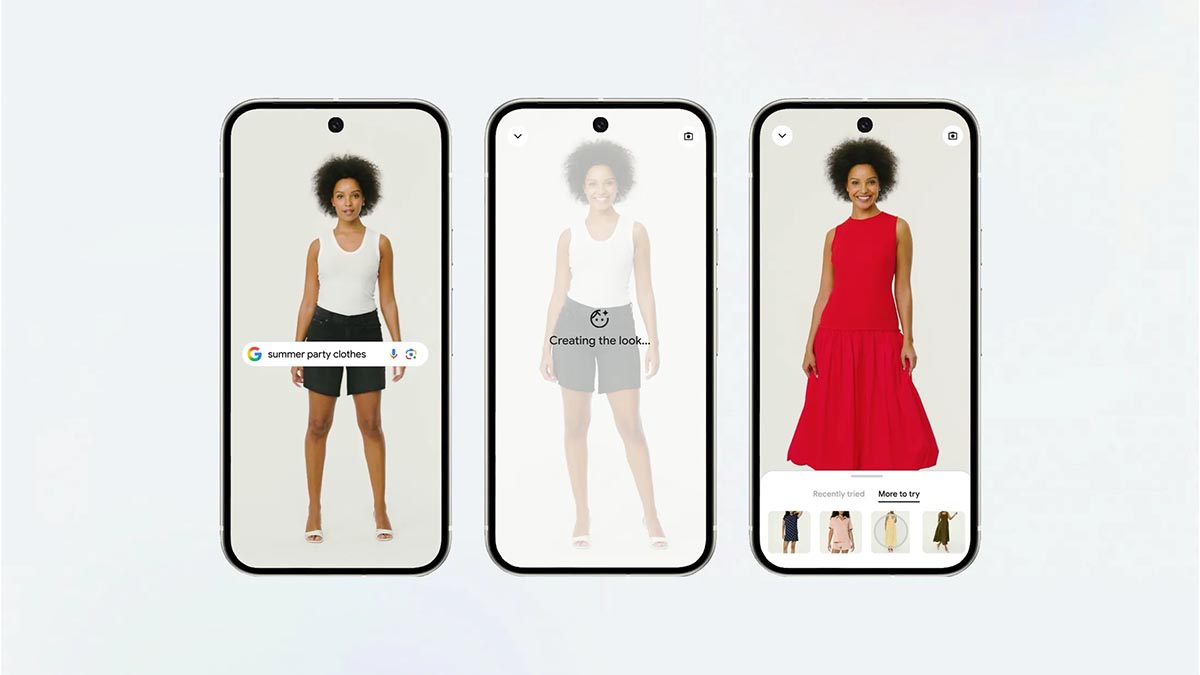
Remember the computerized wardrobe from Clueless that helped Cher pick out outfits with a few taps? Google is bringing a similar experience to shoppers in the Philippines with its virtual Try On feature.
Rolling out in the coming weeks, the tool allows you to upload a photo of yourself and see how clothes might look on your own body before buying. Whether you’re shopping for vacation outfits, workwear, or everyday essentials, the feature aims to make online clothing purchases easier and more confident.
Powered by a custom image generation model designed specifically for fashion, Try On understands both the human body and the unique characteristics of clothing. It can accurately recreate how fabrics fold, stretch, and drape on different body types, helping users visualize how a piece of clothing may look on them rather than on a model.
The Try On feature works across a wide range of clothing, including tops, bottoms, and dresses. It also extends beyond apparel, allowing users to experiment with footwear such as sneakers, heels, and sandals—making it easier to build and coordinate full outfits in one place.
How to use Try On
Getting started is simple. Tap on an apparel product listing on Google or a clothing result in Google Images, then select the “Try it on” icon. Upload a full-length photo, and within moments, Google will generate an image showing how you might look wearing the item.
You can experiment with different styles, save your favorite looks, and share them with friends. Once you find an outfit you like, you can tap the shop button to visit the retailer’s website and complete your purchase.