
As smartwatches become ever more commonplace, the battleground right now is in the area of battery life and utility. Can the battery last long enough that I don’t have to constantly charge it? Can it cram enough useful apps and features into my wrist? And can it actually make itself useful in the real world?
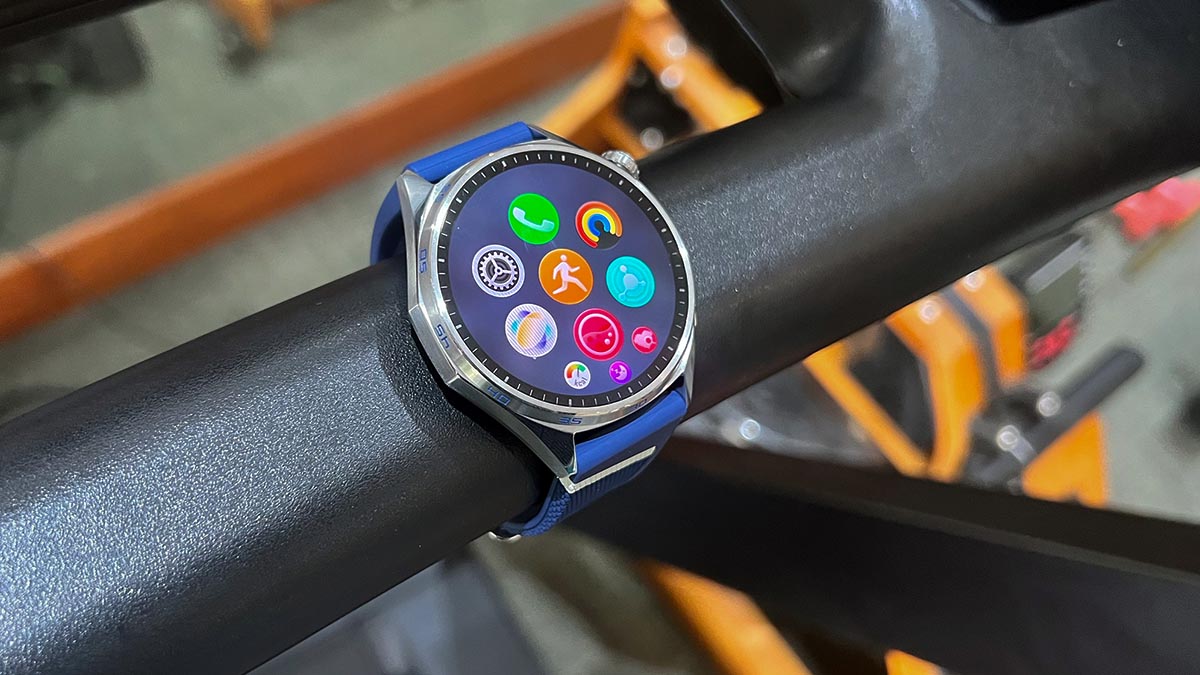
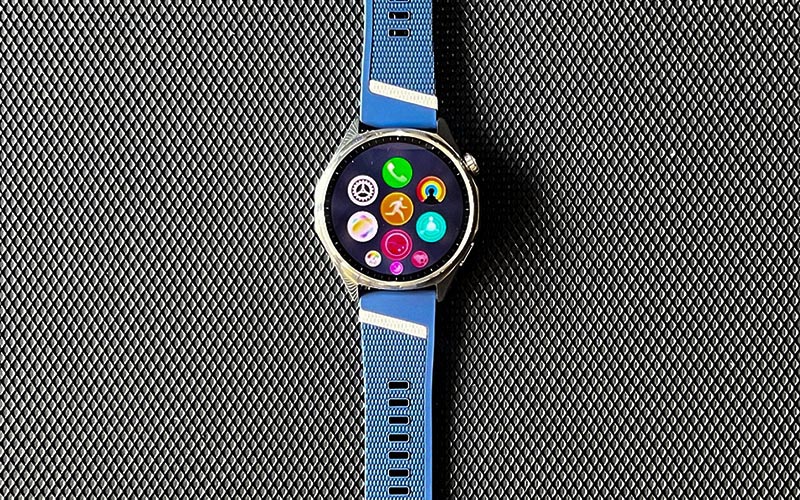
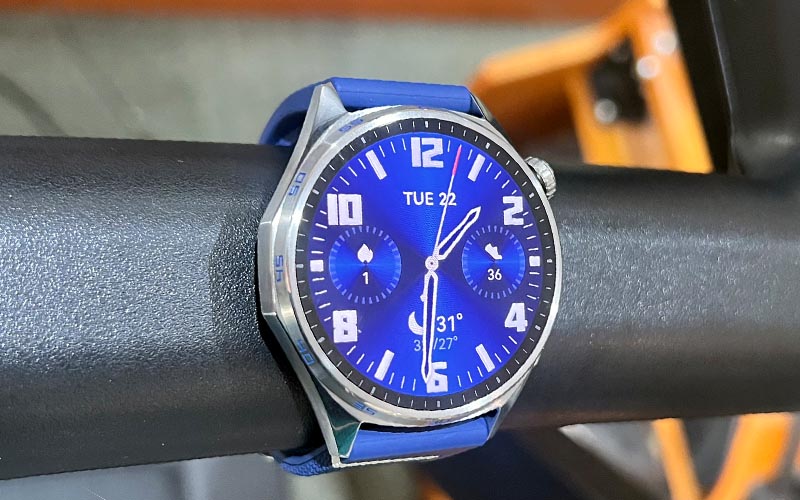
The HUAWEI GT 7‘s answer to all three is a confident “YES”—although, as I’d find out during testing, there are a few qualifications. Available in several colorways and two sizes—41mm and this 46mm demo unit—the GT 7 features a fairly nondescript, round, stainless steel case with a push-button/rotating crown at 2 o’clock, a multi-function button at 5 o’clock, and 5-minute markings on the bezel. The strap has a universal 23-millimeter width, so it’s fairly easy to find an aftermarket strap if you don’t like the silicone piece it comes with.
While the “tuck under” design lets you neatly hide the rest of it rather than slip it into a regular band, the fluoroelastomer” material doesn’t breathe very well and was giving me “swamp skin” after a few hours under the sun.
The steel case also means you can feel its 51.3 grams as the day goes by. I had to periodically remove the watch from time to time just to give my wrist some relief. I also wish the blue colorway came with gunmetal grey or brushed metal instead of stainless steel; too shiny for my tastes.
If you want a more subdued case finish, you can go for the yellow or black options and just change out the strap. The smaller 41mm version also weighs slightly less.
Specs-wise, the GT 7 is crammed with everything. Accelerometer, gyroscope, magnetometer, optical heart rate, barometer, temperature, and ambient light sensor—it’s all there. With all of these sensors then, you get associated features like a compass, GPS, heart rate monitoring for your workouts, sleep monitoring, blood-oxygen level monitoring, and even a way to detect diabetes using the heart rate sensor. It brings all these features together into what HUAWEI describes as a comprehensive, AI-powered approach to sports and health management, although some of its limitations become apparent when you start using it for more serious training.
And when you’re taking the GT 7 outdoors, its enhanced AI-XDR positioning is designed to keep location tracking accurate even in areas where GPS signals are weak or unavailable. That’s particularly useful for outdoor sports, where reliable positioning can make a difference when tracking your route, distance, and pace.
Activating the GT 7 is fairly easy. Just charge it up, download the HUAWEI Health app, then wait a few minutes for it to sync. Using the app in conjunction with the watch, you can access some free “classes” wherein you follow your online app coach and the watch records the workout. These include stretching exercises, HIIT workouts, and even full-blown training plans. Some of these are pretty basic and free, but more comprehensive workouts are designated as “VIP” and will charge you a fee.
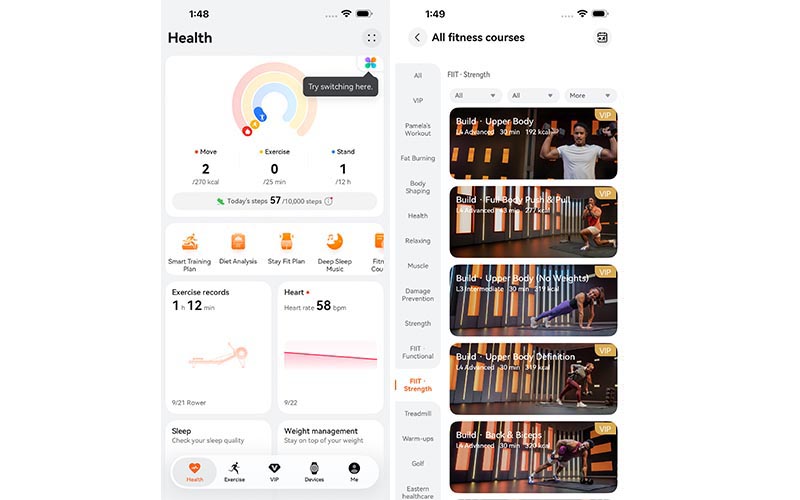
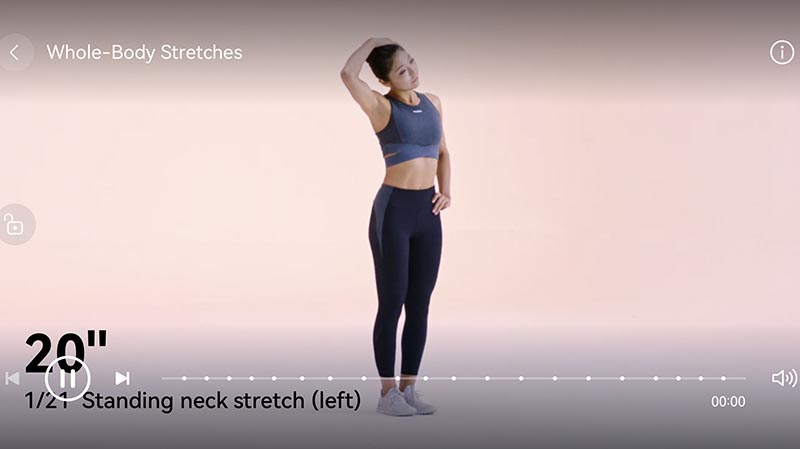
As expected, the GT 7 works very well as a wrist-bound extension of your smartphone when you’re on the go. Notifications for Messenger and Viber constantly buzz my wrist, and it’s also constantly tracking my steps, estimating my caloric burn, and reminding me to stretch every now and then when it detects I’ve been sitting too long. Like in church.
The battery life is rated for up to 21 days with normal use and slightly less than that if you use it for a workout at least an hour a day. In my case, I wore it for a week starting with a full charge (no workouts yet) and was pleased to find it still showed 87% charge on the seventh day.
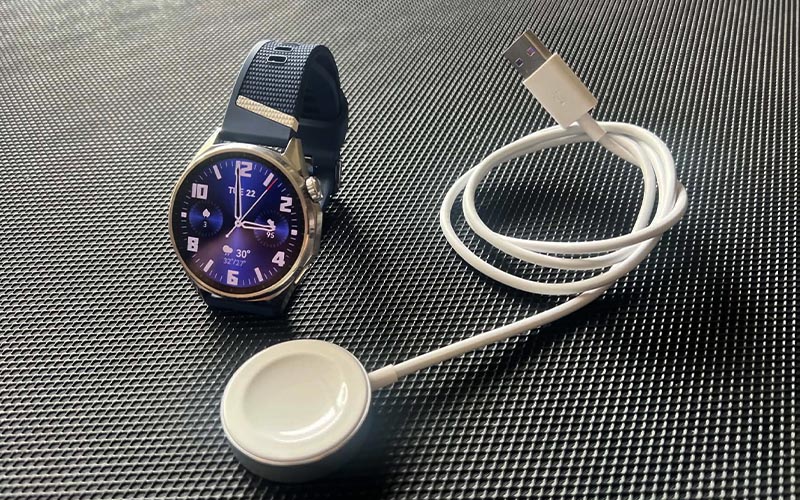
With a 1.32-inch AMOLED screen with 466 x 466 pixels and peak brightness of 3000 nits, it’s bright enough to be visible under direct sunlight and something you’ll want to turn down when you’re in a movie house.
Navigating can be quite tedious with so many apps crammed into it. I trial-and-errored my way most of the time to access the Workouts and logbook, for example. Funnily enough, activating an app that requires it to use any of its sensors triggers a mandatory waiver which you must tap to “Agree” first before it gets to work.
Then I finally took it for the first of several workouts. The first was a 1-hour indoor rowing session, and I was happy to find that “Rowing” was listed as one of the workouts programmed into the watch. When you swipe through the listed workouts in the watch, you can add your favorites into a short list so you don’t have to hunt for it all the time.
Unfortunately, configuring the watch is a bit cumbersome. All workout options and settings can only be accessed through the watch and not through the app. Unlike, for example, Suunto, which lets you customize your workouts and display screens through its native app then sync to their watch. It’s just a smoother process that way.
I found configuring the workout display screens on the GT 7 took a bit of getting used to. You need to remember which data you’ve assigned to Screen 1, then Screen 2, and so on, otherwise you might end up with some redundant displays. After a few tries, I eventually decided to stick with the presets.
One feature that athletes may miss is a dedicated split/interval/lap button. For outdoor workouts, the 5 o’clock button serves this purpose, making it useful for interval sessions. For indoor workouts, however, the same button functions as a “Down” control for cycling through the other displays. Since you can also swipe down on the screen to do the same thing, I found myself wishing the button could be assigned to laps or splits instead.
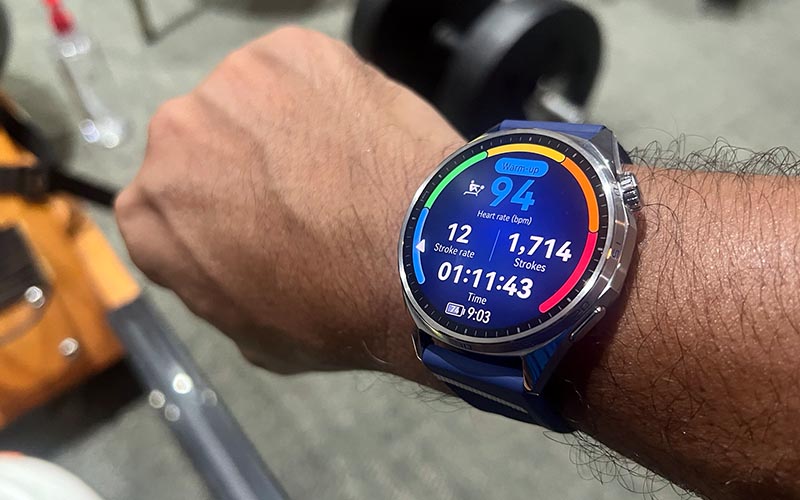
While doing sets on the rowing machine, I tried pressing the button, tapping the screen, using the crown, and even double-tapping the display to find a way to record a split, but couldn’t get it to work. This probably won’t be an issue for casual users who simply want to track their exercise, but a dedicated lap or split function can be quite useful for athletes who use their times between sets as a measure of progress.
One difference I noticed was that the GT 7’s optical HR sensor didn’t always line up with my baseline Suunto Run. During the workout, there were moments when the GT 7 showed a lower heart rate than the Suunto, even when my perceived exertion was higher. By the end of the session, my Suunto recorded around 523 calories burned, while the GT 7 recorded 466—a difference of about 11%. This may not be particularly meaningful for casual exercisers, but for endurance athletes who use heart rate and calorie estimates to help plan their nutrition, having more consistent readings can be useful.
I also noticed that the watch gives a quick summary of my exertion—average HR, calories burned, and the like—every 10 minutes. The updates were clear enough to hear even over my Bluetooth speaker. The GT 7 also has a built-in speaker and microphone, allowing you to make calls and use other voice-related functions when paired with your phone.
Overall, the GT 7 packs a lot of functionality into a smartwatch that can comfortably serve as both a health and wellness companion and an everyday extension of your smartphone. It may not be aimed at athletes looking for a dedicated training watch, but its broader set of smartwatch and health features makes it a versatile option for everyday users. It’s also IP69-rated and rated up to 5 ATM (50 meters), giving it plenty of protection for everyday use and shallow-water activities, although I’d still exercise some caution around water.
The HUAWEI GT 7 may not be the first choice for athletes looking for a dedicated training watch, but for everyday users who want a smartwatch that complements their smartphone while keeping tabs on their health and wellness, it offers a well-rounded mix of features.
As of press time, HUAWEI hasn’t yet revealed the SRP of the GT 7, but it is now offering the following promotions:
- HUAWEI Store Promotions
- September 25–October 1: Pay a P500 deposit and enjoy P6,000 off
- October 2–31: Enjoy an Early Bird Voucher offering P5,500 off
- Shopee, Lazada, and TikTok Shop Promotions
- October 2–10: Enjoy a P4,000 voucher
- October 11–31: Enjoy a P3,500 voucher