
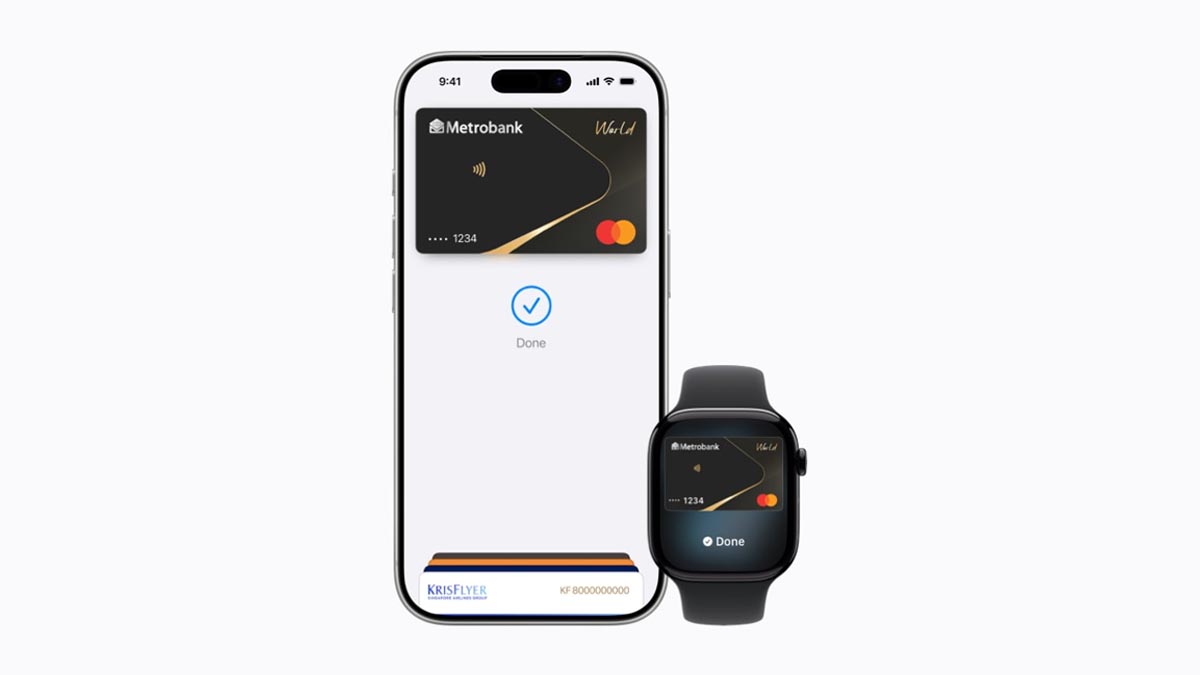
You can now tap your iPhone or Apple Watch to pay in the Philippines, as Apple officially rolls out Apple Pay with support for eligible debit and credit cards.
If you’ve been waiting to use your Apple device to pay instead of pulling out your wallet, here’s what you need to know.
Which banks support Apple Pay?
At launch, Apple Pay works with eligible credit and debit cards issued by:
- Chinabank
- GoTyme Bank
- Metrobank
- UnionBank
Apple says more banks are expected to join in the future.
Where can you use Apple Pay?
You can pay anywhere that accepts contactless payments and Apple Pay.
Among the merchants supporting Apple Pay at launch are Abenson, Anko, Ayala Malls Cinemas, Ayala Malls, Beyond the Box, Coach, Digimap, Foot Locker, Globe, HOKA, Hollister, Jollibee, Lush, Power Mac Center, Rustan’s, SaladStop!, Shake Shack, Smart, The Loop, The Matcha Tokyo, The Movie Snackbar, The Underbelly, and WalterMart Supermarket
For online purchases, Apple Pay is available on apps and websites including foodpanda, Jollibee, Rustan’s, and Shopee.
Apple also said Maya Business will begin enabling Apple Pay for more than 5,000 online merchants.
How do you pay?
Paying in stores is similar to using any contactless card.
Simply double-click the side button (or Home button on older iPhones), authenticate using Face ID or Touch ID, then hold your iPhone or Apple Watch near the payment terminal.
Users can also make purchases with Apple Pay on iPhone, iPad, and Mac for faster and more convenient payments in apps or on the web without having to create accounts or repeatedly type in contact information, card details, or shipping and billing information.
Is Apple Pay secure?
Apple says security and privacy are built into Apple Pay.
Instead of storing your actual card number on your device, Apple Pay creates a unique Device Account Number that’s securely stored in your device’s Secure Element chip.
Apple also says it doesn’t keep transaction information that can be linked back to users.
If your iPhone is lost, you can use Find My to locate your device, lock it, or suspend Apple Pay.
Will I still earn rewards?
Yes. Using Apple Pay doesn’t change the benefits of your card. You’ll continue earning the same rewards, cashback, or points offered by your bank.
Do you need a physical card?
Not always. Some participating banks allow customers to instantly create a virtual card through their banking app or website. Once issued, it can be added to Apple Pay immediately without waiting for a physical card.